
For independent dealerships

Turn Your Inventory Into Social Media Content

Posting every day takes time nobody on the lot has. MyOnlineInventory turns the vehicles you've already listed into posts, videos and shares, so a salesperson can make one between customers.

The tools live inside MyOnlineInventory, next to your inventory and leads. Sharing vehicles to your Facebook Page and making AI vehicle videos come with every plan. Social Studio's branded posts are an optional add-on.
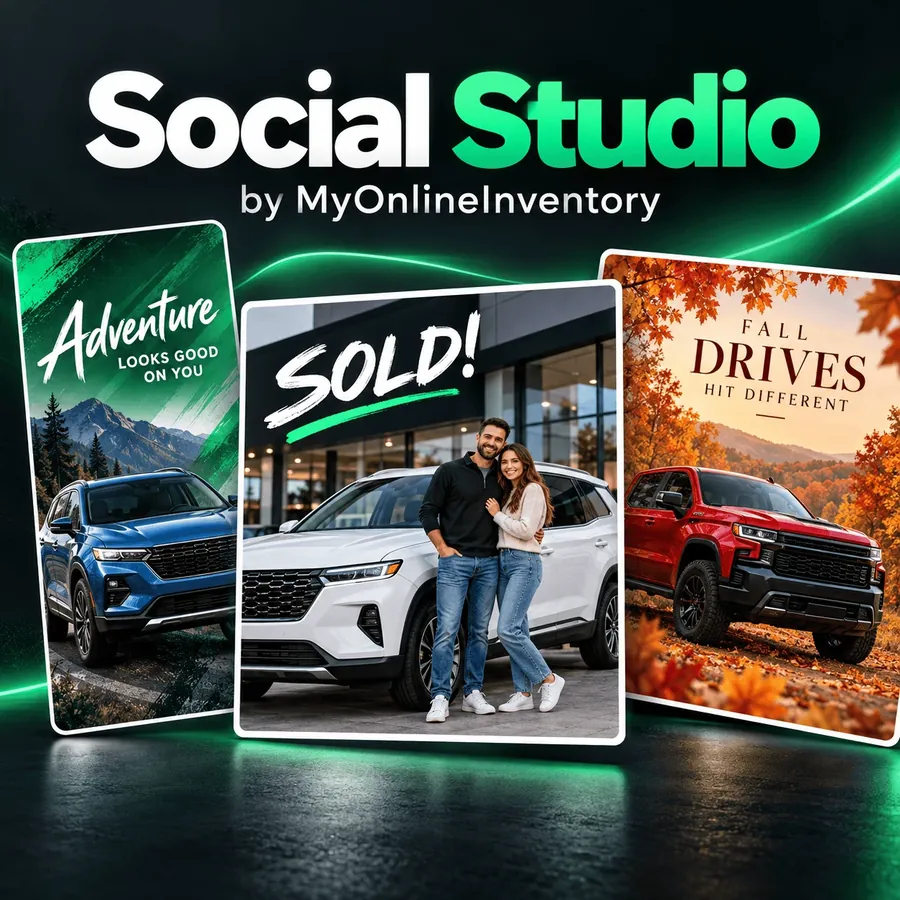
Three Social Studio post styles: an Adventure themed post with a blue SUV, a SOLD! customer delivery post and a Fall Drives seasonal post with a red pickup

Three Social Studio post styles: a themed look, a customer delivery post and a seasonal look. Image from the Social Studio launch announcement.

FAQ

Questions about social media tools

No. Social Studio handles the layout, fonts and sizing. You choose the vehicle, the photos, the look and the headline.

Your dealership's Facebook Page, in one click once it's connected. For Instagram, TikTok, Google Business Profile and anywhere else, download the image and post it there, or text it to yourself with the QR code.

No. Every post, email and text goes out when someone on your team sends it.

No. AI only creates the scene around your vehicle, and your photo stays exactly as you shot it. Prices, names and vehicle titles are set in clean type, never drawn by AI.

Most are ready in 10 to 30 seconds.

Yes, with their consent. Social Studio asks you to confirm permission every time, and people in the photo are never altered.

No, it's an optional add-on with its own monthly price, shown in the Add-On Store before you turn it on. Facebook Page sharing and AI vehicle videos are included with every plan.

Direct sharing goes to your dealership's Facebook Page. For other sites, download the image, or the vehicle's photo-and-description pack, and post it there yourself.